

CASHIER
Wallet status page
Open the cashier from home to see whether a DANA, OVO, GoPay or QRIS request is…

hatipoker puts Live Baccarat Table, Banjarmasin Night Spins and Live In-Play Football behind one account, with your local wallet status shown before…
Casino and slots open from the first lobby row, with search helping you locate a title on mobile before moving into its game page.

Casino and slots appear first, followed by live dealer tables, fishing rooms and sports markets connected to the same account.
Pragmatic Play, PG Soft and Habanero sit alongside regional studio names, giving the home lobby recognisable filters for casino and slot browsing.
DANA and QRIS appear directly in the home cashier, with OVO and GoPay shown in the same selection row.
Five home destinations carry details you may need after opening an account. The cashier records wallet progress, game pages expose table or round rules, sports pages group configured markets, and the policy…
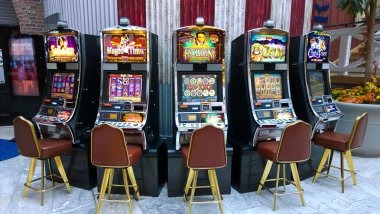


Four checks prepare your home account for the lobby. Start with your mobile number, complete the phone verification prompt and confirm that your account details match…
Open the account form from the home screen, enter the requested details and submit your active mobile number. We send the phone verification step before account entry, reducing confusion between account creation and the returning-customer path.
Check that your name, mobile number and selected wallet details are accurate before using the cashier. Matching details help our team trace a receipt or wallet-status question without asking you to repeat the full account setup.
Casino and slots sit beside live tables and the sportsbook on the home navigation. You can move from Crash Countdown Round to badminton markets without creating another profile or leaving the main account area.
Use a private password, complete phone verification and check active sessions from your account controls. If a login looks unfamiliar, leave the lobby and contact live chat through the home help panel before continuing.
The home help panel gives you three routes based on the issue. Live chat suits a stalled login or a wallet status that needs a quick first check. Email handles screenshots, receipt details and longer account context, while the mobile help view keeps both channels reachable beside the cashier. Current channel hours appear in the panel itself, so you can see availability before sending details. Never place a password or verification code in your message.
Open live chat from the home help panel for login, game-loading or wallet-status questions. Send the exact screen message and any cashier receipt reference, but keep your password and phone verification code private.
Choose email when screenshots or a longer sequence of events will help us trace the issue. Include your account reference, device type and transaction receipt, while removing passwords and verification codes.
On a phone, the help control stays near the cashier and account menu. You can move from an OVO or GoPay status screen to the relevant contact path without reopening the full lobby.
The mobile home path starts with login, opens the category menu and keeps the cashier within the same browser session.
Phone verification comes before account entry, creating a clear checkpoint between the setup form and the lobby.
The home menu keeps casino, slots, sportsbook, cashier and support within a compact phone layout. It also preserves the current account session when you return from a game to inspect wallet status.
We request the verification step before account entry. This separates account setup from normal login and gives our help team a clear checkpoint when you report that an expected code or screen did not appear.
Your account controls show active-session context and provide a route out of the lobby. If a session is unfamiliar, stop using the game screen and contact us through the home help panel.
Provider rules and controls remain attached to each game page. Check them before a round, particularly for live baccarat commission, roulette format, crash timing or fishing-room shot values.
A single home page keeps account, game, cashier and contact paths connected. That is more practical than searching separate pages for table rules, wallet instructions or sports categories…
| Connected account path | Home moves from account creation to phone verification and then into the lobby. Scattered pages may describe games without showing how they connect to your account or where the returning-customer route begins. |
|---|---|
| Visible category menu | Casino, slots and sportsbook use named home destinations. Separate search results can drop you into a single game page without showing its category, account controls or route back to the cashier. |
| Local wallet context | DANA, OVO, GoPay and QRIS appear together inside the cashier. External searches may mention a wallet without showing whether it is currently selectable or where its submitted status appears. |
| Attached game rules | Each title links to its own rules or help panel. A disconnected description may not match the studio version currently displayed, particularly for roulette formats, baccarat commission or crash-round controls. |
| Receipt-based support | The home help route sits beside cashier status and lets you carry the receipt reference into your request. Searching elsewhere separates the transaction context from the channel expected to check it. |
| Current policy path | Footer links take you to current account, privacy and transaction wording. Saved or unrelated pages can lose that connection, making it harder to confirm which terms apply to the active home account. |
Game mathematics can differ by studio, title and configured version, so we do not assign one percentage to the whole home lobby.
Open the selected slot and inspect its rules or help panel for the provider-displayed return figure and feature conditions.
Check the table rules for wager types, commission treatment and the active table format before joining a streamed round.
Inspect the wheel format and table rules because available numbers and wager treatment can differ between roulette versions.
Read the round screen for multiplier behaviour, closure timing and cash-out controls before using Crash Countdown Round.
Open the title instructions to understand shot values, target behaviour and round controls in Fortune Fishing Game.
Our home page is configured for Indonesia, including local wallet names, Indonesian bank context and mobile layouts suited to common phone browsers. You may reach the same lobby structure from Yogyakarta or elsewhere in the country, but availability depends on local law. The service-area reference indicates market configuration rather than a physical branch or local office. Check the account screen and current policy links before continuing, particularly if your location, network or eligibility has changed.
Six visible elements carry most home tasks. The first lobby row starts with casino and slots, live tables remain clearly labelled, and sports categories focus on…
Search the slot area by title from a phone or larger screen. Banjarmasin Night Spins and other available titles open through their own pages, keeping provider controls separate from the category results.
Live Baccarat Table appears with roulette, Dragon Tiger and blackjack context. Streamed tables stay distinct from automated slots, helping you check table rules and status before choosing a seat.
Football, badminton and basketball have clear sportsbook destinations from home. Live In-Play Football is separated from pre-match browsing so changing event status is easier to recognise.
Phone verification appears between account setup and lobby entry. The account panel then provides session context, giving you a consistent place to check whether the current login follows the expected path.
The cashier displays local rails and records submitted status with a receipt reference. This helps you distinguish a request still awaiting action from one that should be raised through the help panel.
Live chat and email remain reachable from the home help control. Use the channel display to check current availability, then share the relevant screen message, device type or receipt reference.
These answers cover the questions most closely tied to our home page: what appears in the lobby, how the account path begins, where local wallet status is shown and how you reach support. They also explain mobile behaviour and regional availability. Check the live account, game and cashier screens for the current status attached to your own session.
Begin with the account panel if you are new, or use the returning-customer path when your phone verification is already complete.
Use this route for account setup, phone verification and session checks.
Choose casino, slots or sportsbook from the named category row.
Open the cashier to select DANA, OVO, GoPay, QRIS, bank transfer or virtual account when displayed.
Use footer links for current account, privacy and transaction wording.